> ## Documentation Index
> Fetch the complete documentation index at: https://wb-21fd5541-update-reference-docs-40.mintlify.site/llms.txt
> Use this file to discover all available pages before exploring further.
> 실험 요약, 팀 협업, 결과 공유와 같은 사용 사례를 보여주는 W&B Reports 예시를 살펴보세요.
# 예시 Reports
## Notes: 빠른 요약이 포함된 시각화 추가하기
프로젝트 개발 과정에서 중요한 관찰 내용, 향후 작업을 위한 아이디어, 또는 달성한 이정표를 기록하세요. 리포트의 모든 실험 run은 해당 파라미터, 메트릭, 로그, 코드에 연결되므로 작업의 전체 맥락을 저장할 수 있습니다.
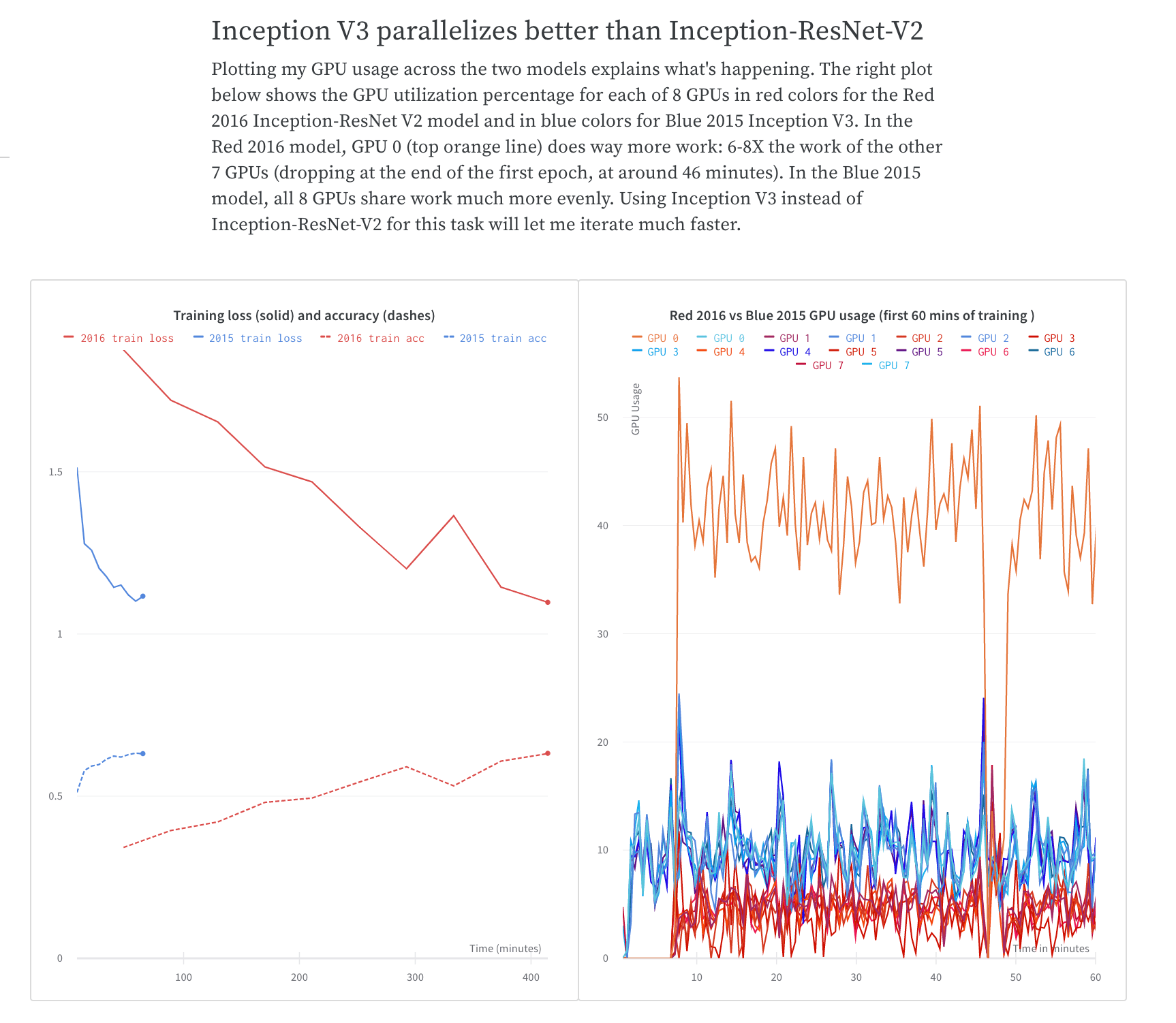
텍스트를 간단히 적고 관련 차트를 추가해 인사이트를 설명하세요.
트레이닝 시간 비교를 공유하는 방법은 [What To Do When Inception-ResNet-V2 Is Too Slow](https://wandb.ai/stacey/estuary/reports/When-Inception-ResNet-V2-is-too-slow--Vmlldzo3MDcxMA) W\&B Report를 예시로 참조하세요.
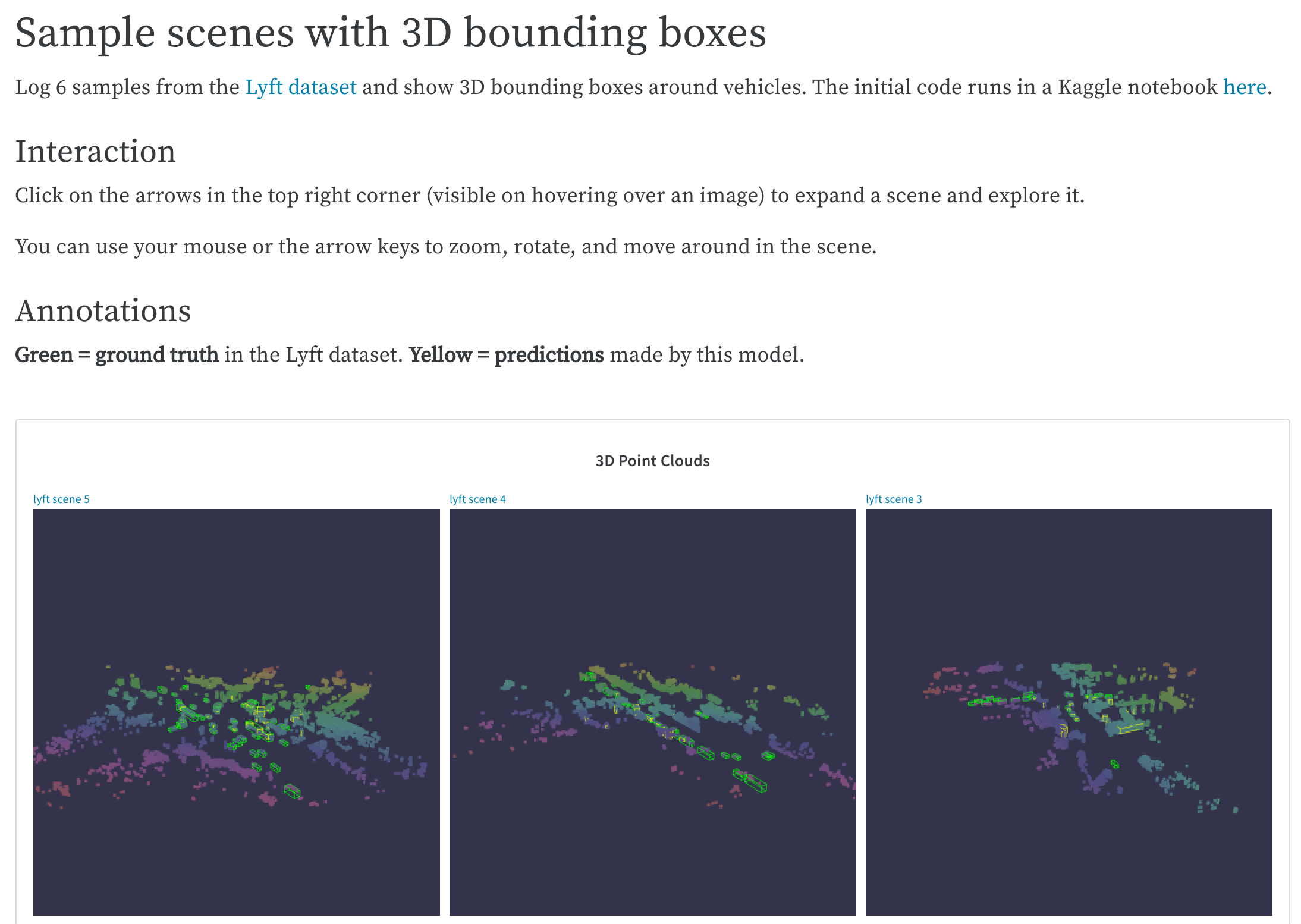
 쉽게 참조하고 나중에 다시 활용할 수 있도록 복잡한 코드 베이스에서 가장 좋은 예시를 저장하세요. Lyft 데이터셋의 LIDAR 포인트 클라우드를 시각화하고 3D 바운딩 박스로 주석을 다는 방법은 [LIDAR point clouds](https://wandb.ai/stacey/lyft/reports/LIDAR-Point-Clouds-of-Driving-Scenes--Vmlldzo2MzA5Mg) W\&B Report를 예시로 참조하세요.
## 협업: 동료와 결과를 공유하세요
프로젝트를 어떻게 시작했는지 설명하고, 지금까지 관찰한 내용을 공유하며, 최신 결과를 종합하세요. 동료는 각 패널이나 리포트 하단의 댓글을 통해 제안하거나 세부 사항을 논의할 수 있습니다.
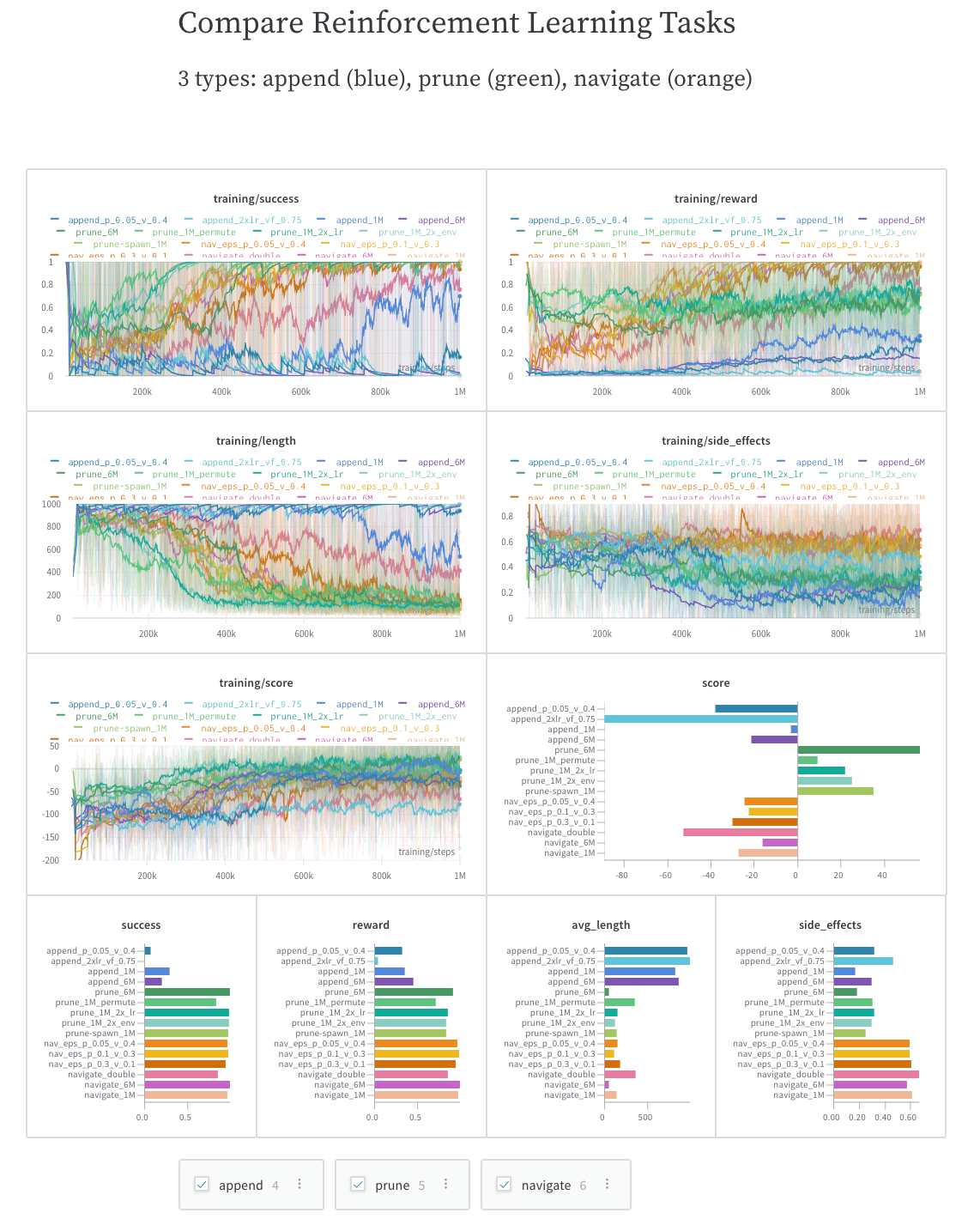
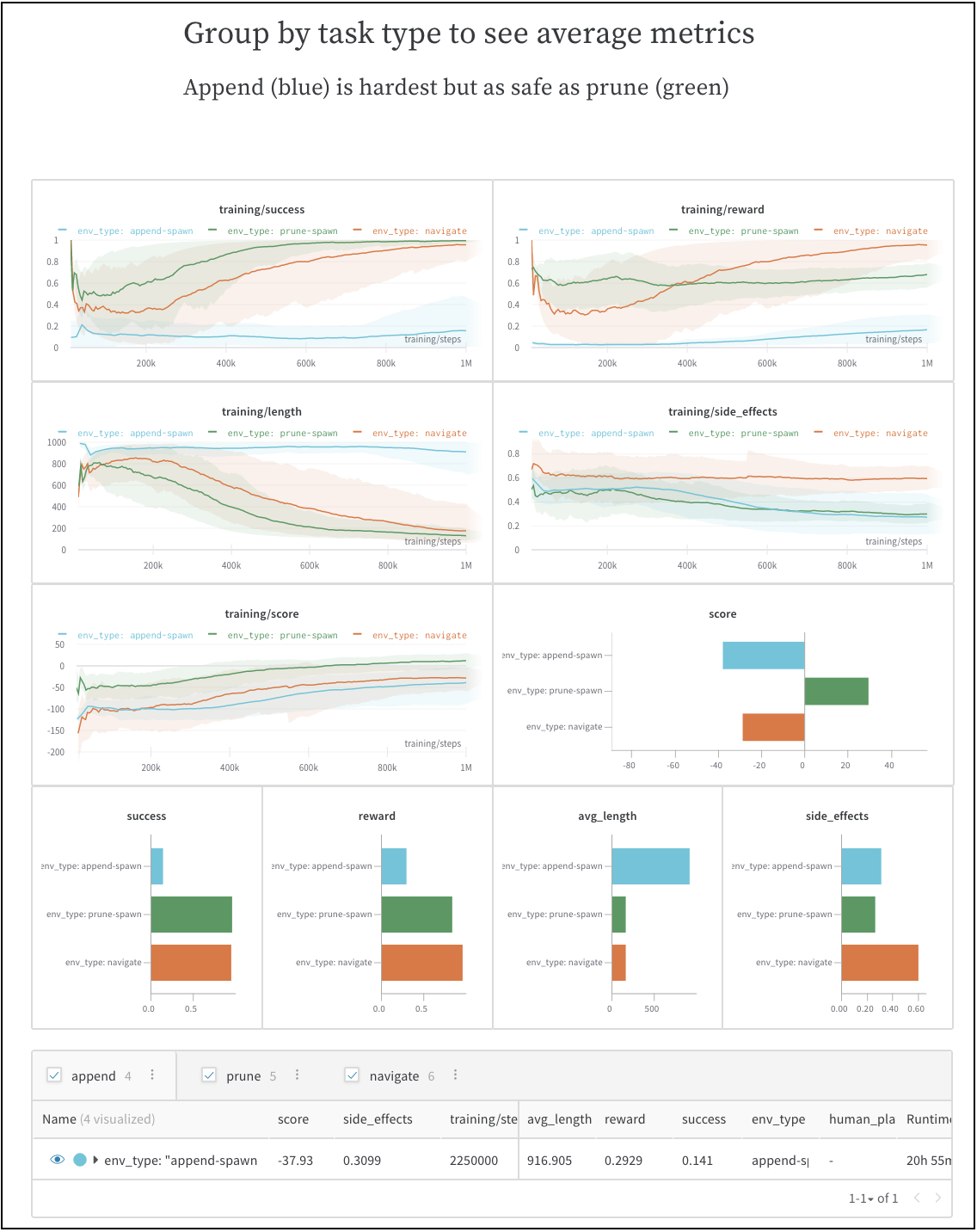
동적 설정을 포함해 동료가 직접 탐색하고, 추가 인사이트를 얻고, 다음 단계를 더 효과적으로 계획할 수 있도록 하세요. 이 예제에서는 세 가지 유형의 실험을 각각 독립적으로 시각화하거나, 비교하거나, 평균을 낼 수 있습니다.
벤치마크의 초기 run과 관찰 내용을 공유하는 방법은 [SafeLife benchmark experiments](https://wandb.ai/stacey/saferlife/reports/SafeLife-Benchmark-Experiments--Vmlldzo0NjE4MzM) W\&B 리포트를 참조하세요.
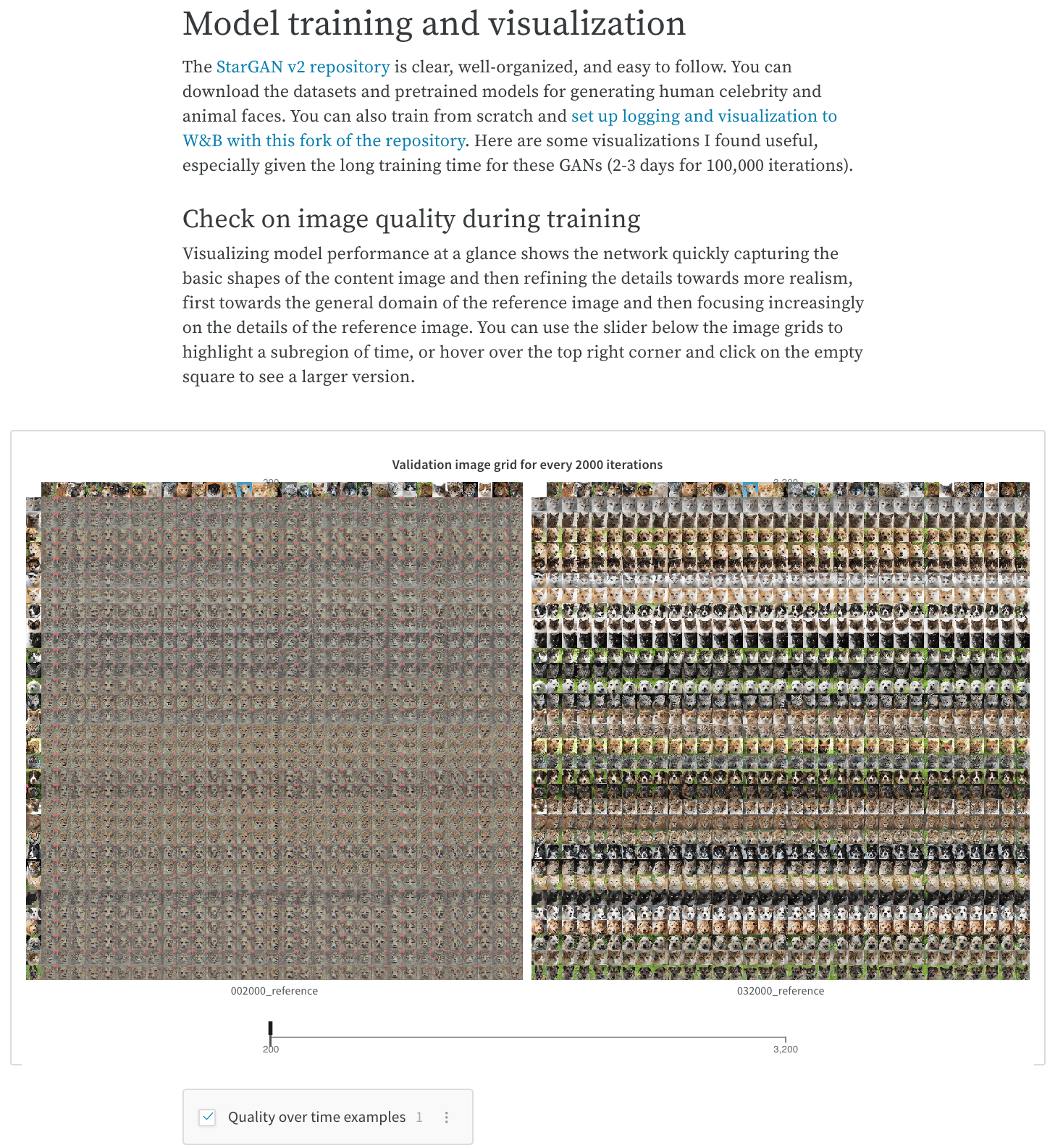
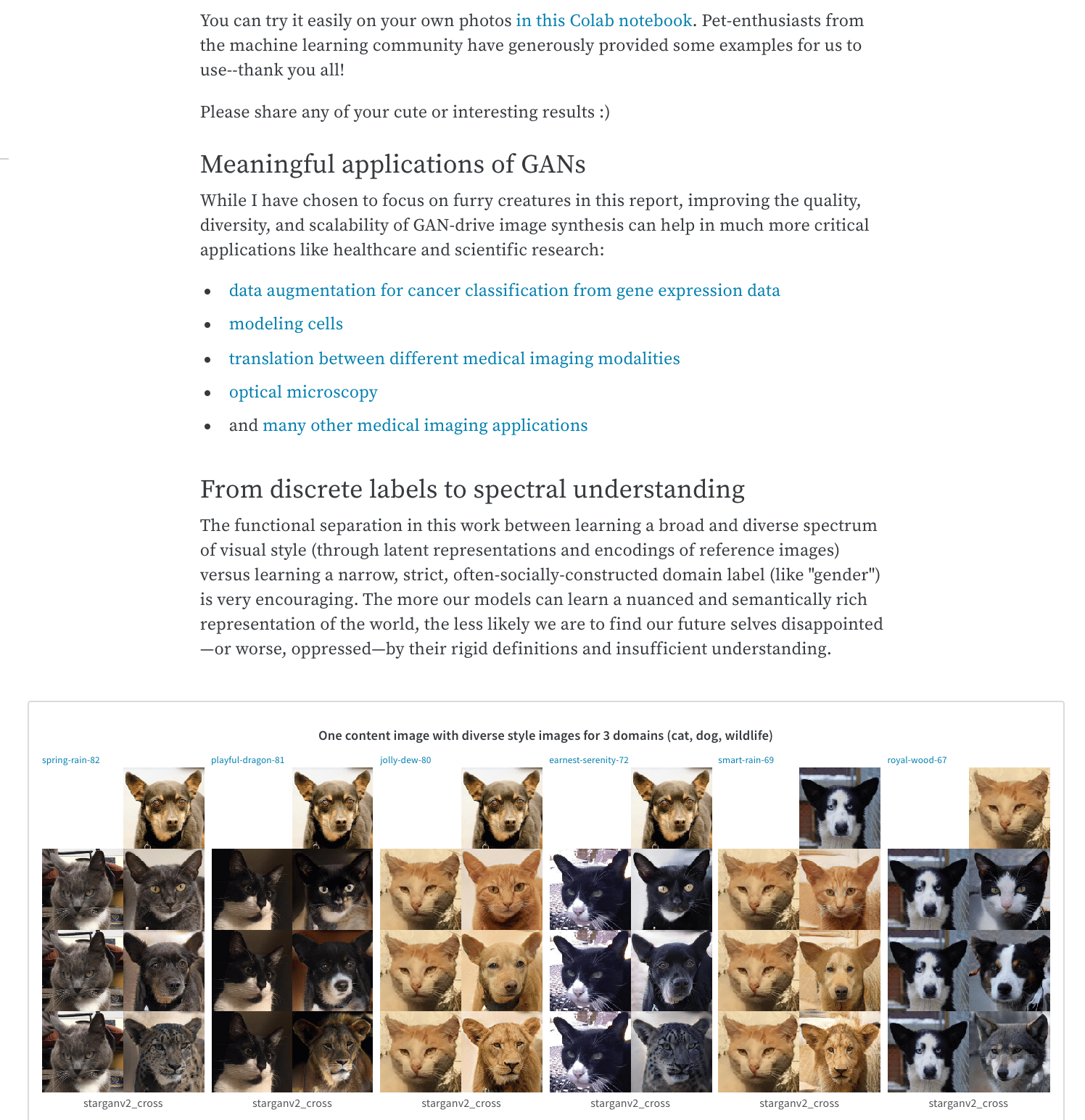
 슬라이더와 설정 가능한 미디어 패널을 사용해 모델의 결과나 트레이닝 진행 상황을 보여줄 수 있습니다. 슬라이더가 포함된 W\&B 리포트의 예시는 [Cute Animals and Post-Modern Style Transfer: StarGAN v2 for Multi-Domain Image Synthesis](https://wandb.ai/stacey/stargan/reports/Cute-Animals-and-Post-Modern-Style-Transfer-StarGAN-v2-for-Multi-Domain-Image-Synthesis---VmlldzoxNzcwODQ) 리포트를 참조하세요.
## 작업 로그: 시도한 내용과 다음 step 계획 추적하기
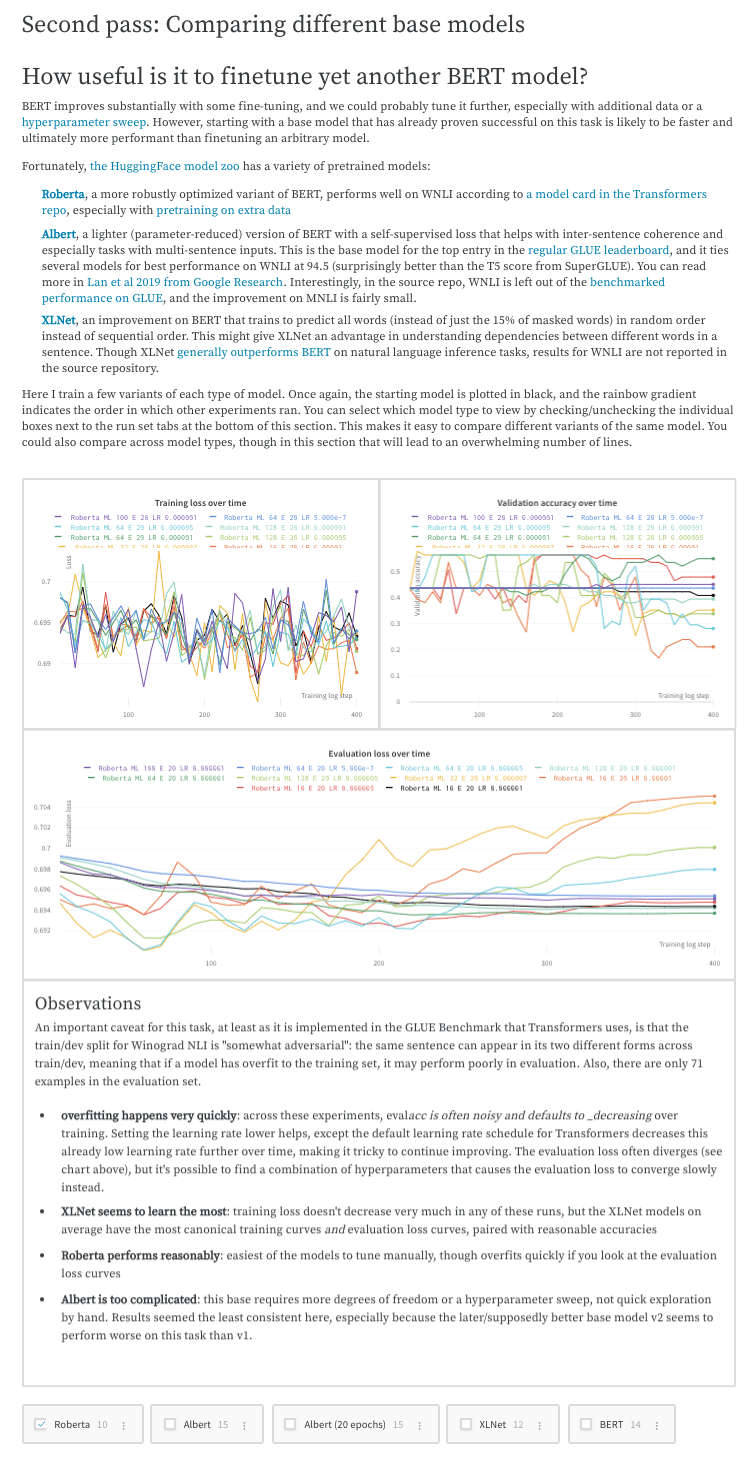
프로젝트를 진행하면서 실험에 대한 생각, 발견한 내용, 주의할 점, 그리고 다음 step을 기록해 두면 모든 내용을 한곳에 체계적으로 정리할 수 있습니다. 이렇게 하면 스크립트만이 아니라 그 밖의 중요한 요소까지 모두 "문서화"할 수 있습니다. 결과를 어떻게 보고할 수 있는지 보여주는 예시는 [Who Is Them? Text Disambiguation With Transformers](https://wandb.ai/stacey/winograd/reports/Who-is-Them-Text-Disambiguation-with-Transformers--VmlldzoxMDU1NTc) W\&B Report를 참조하세요.
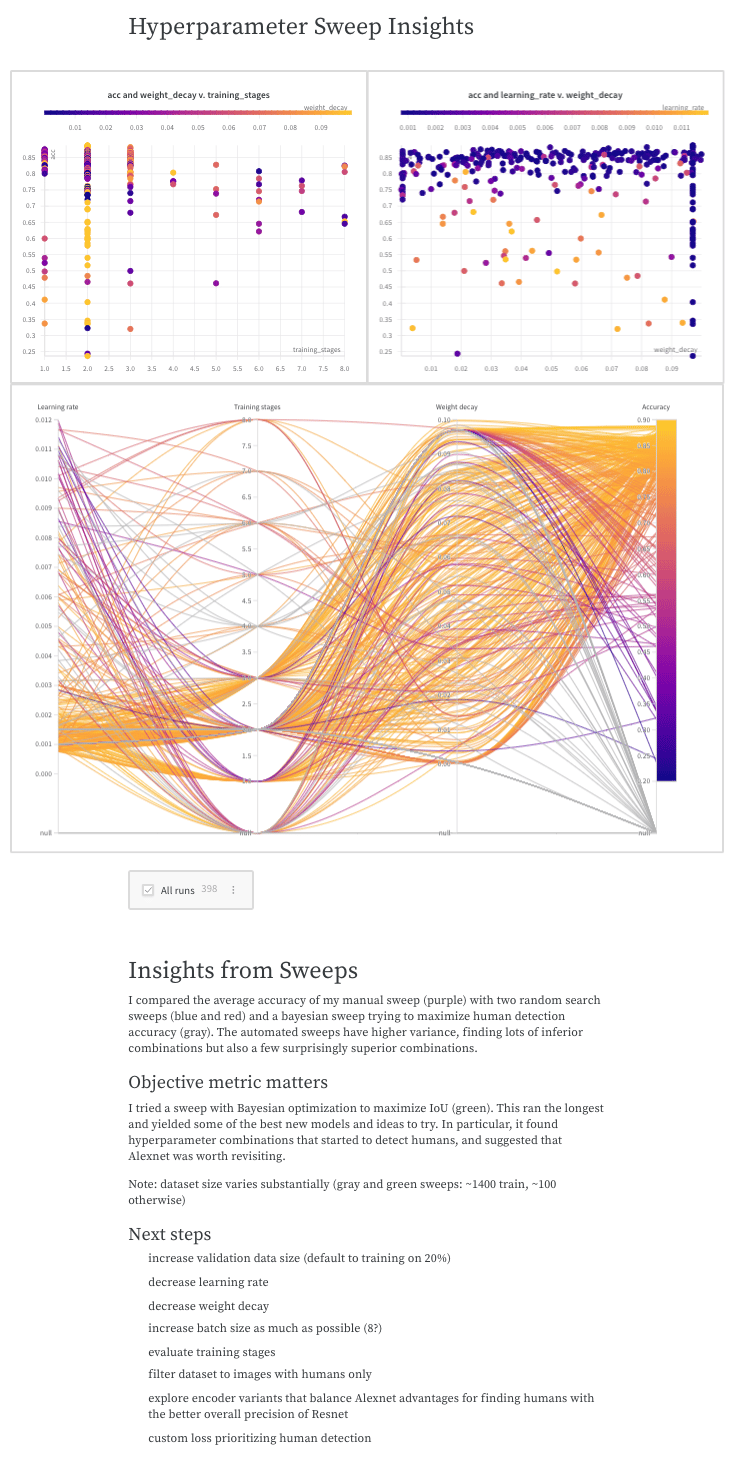
 나중에 여러분과 다른 사람들이 모델이 어떻게, 그리고 왜 개발되었는지 이해할 수 있도록 프로젝트의 스토리를 남기세요. 결과를 어떻게 보고할 수 있는지는 [The View from the Driver's Seat](https://wandb.ai/stacey/deep-drive/reports/The-View-from-the-Driver-s-Seat--Vmlldzo1MTg5NQ) W\&B Report를 참조하세요.
 W\&B Reports를 사용해 OpenAI Robotics 팀이 대규모 머신 러닝 프로젝트를 어떻게 수행했는지 탐색한 예시는 [Learning Dexterity End-to-End Using W\&B Reports](https://bit.ly/wandb-learning-dexterity)를 참조하세요.